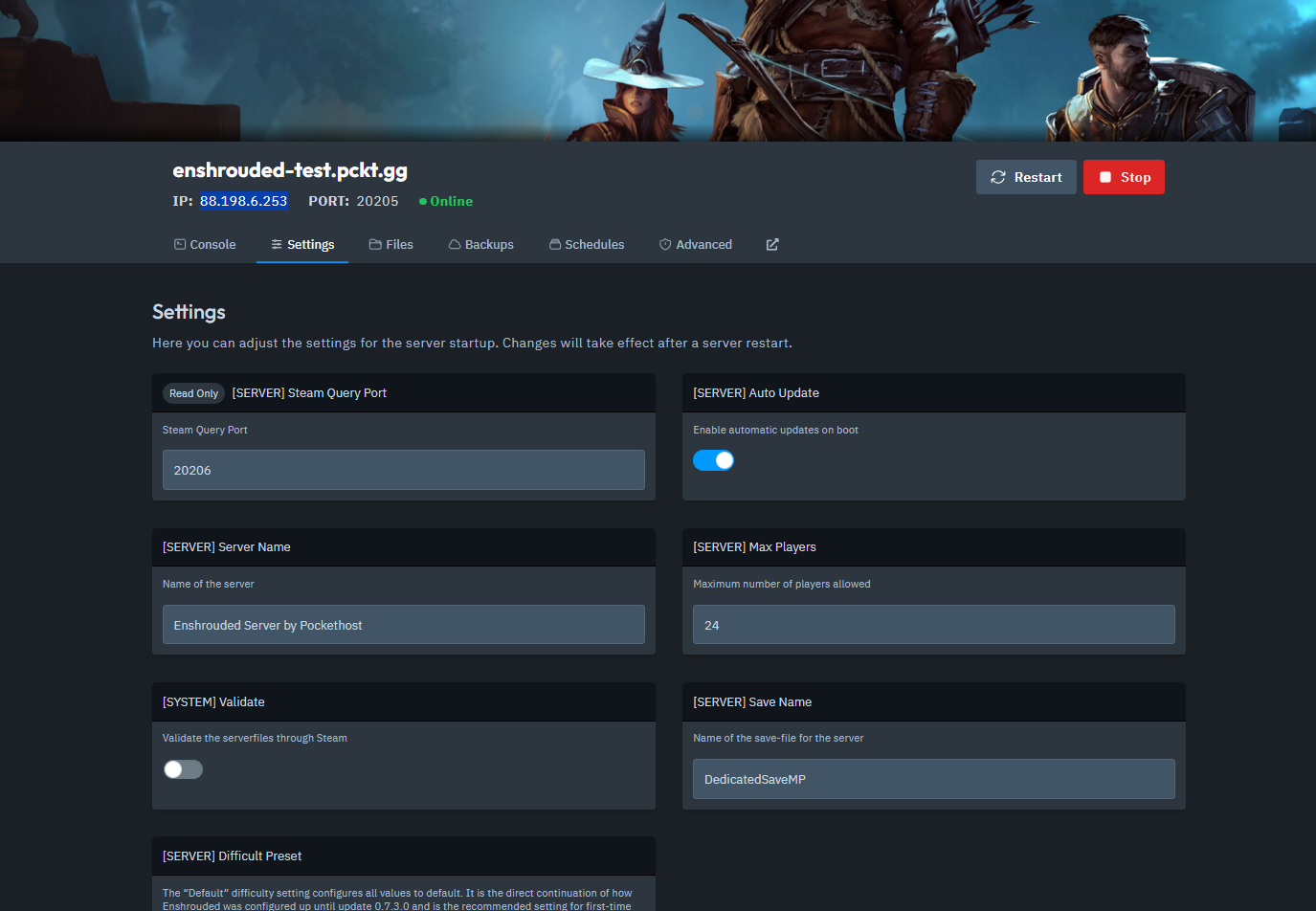
Open your Server Dashboard.
Navigate to the Settings tab.
In the Settings tab, locate and copy your Server IP and Steam Query Port.
Start Enshrouded.
Click on Play, then select Join to enter the online game menu.
In the Join menu, click on Find Server (IPv4 Address).
Enter the IP address and Query Port that you copied earlier.
Click Search.
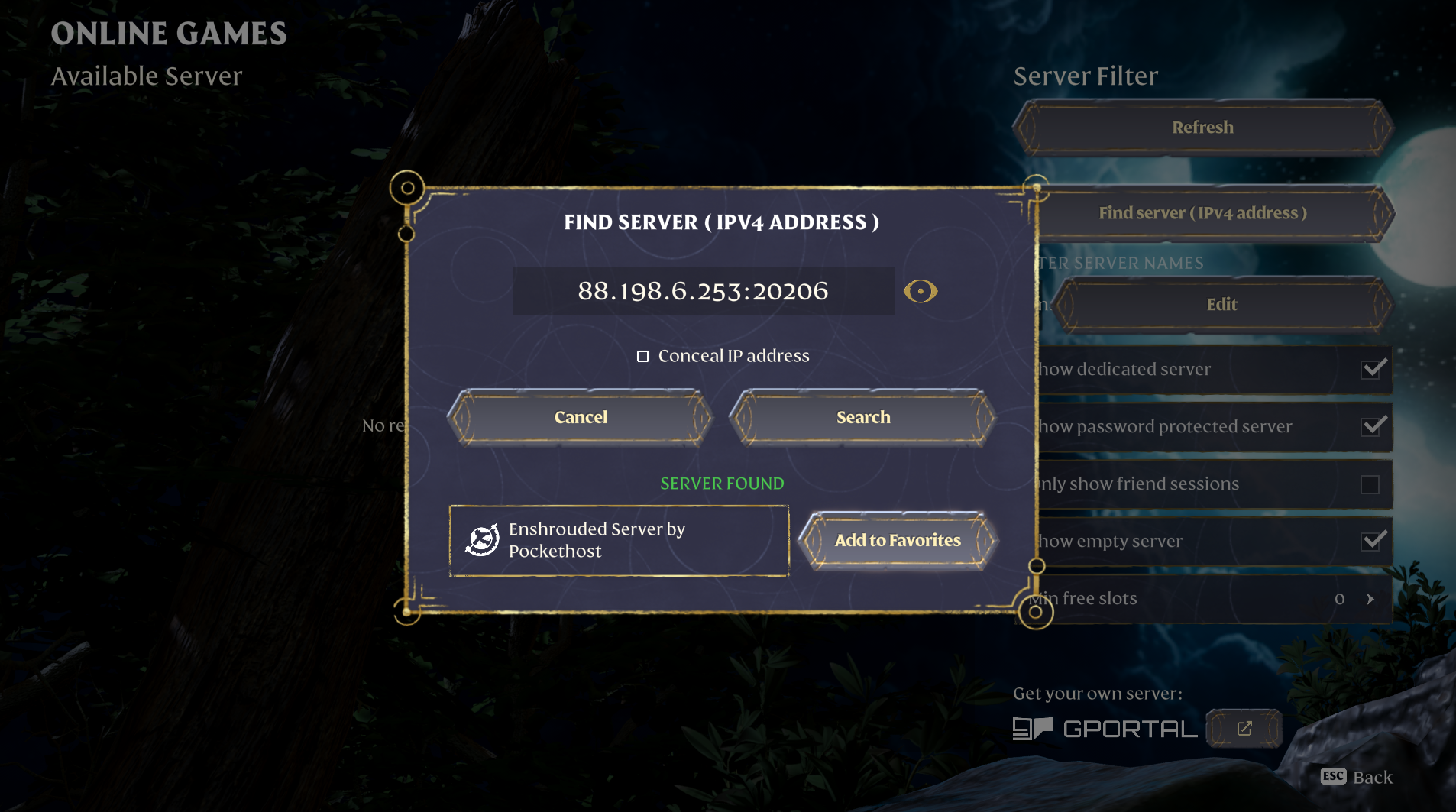
Once your server appears in the search results, add it to your Favorites for quick access.
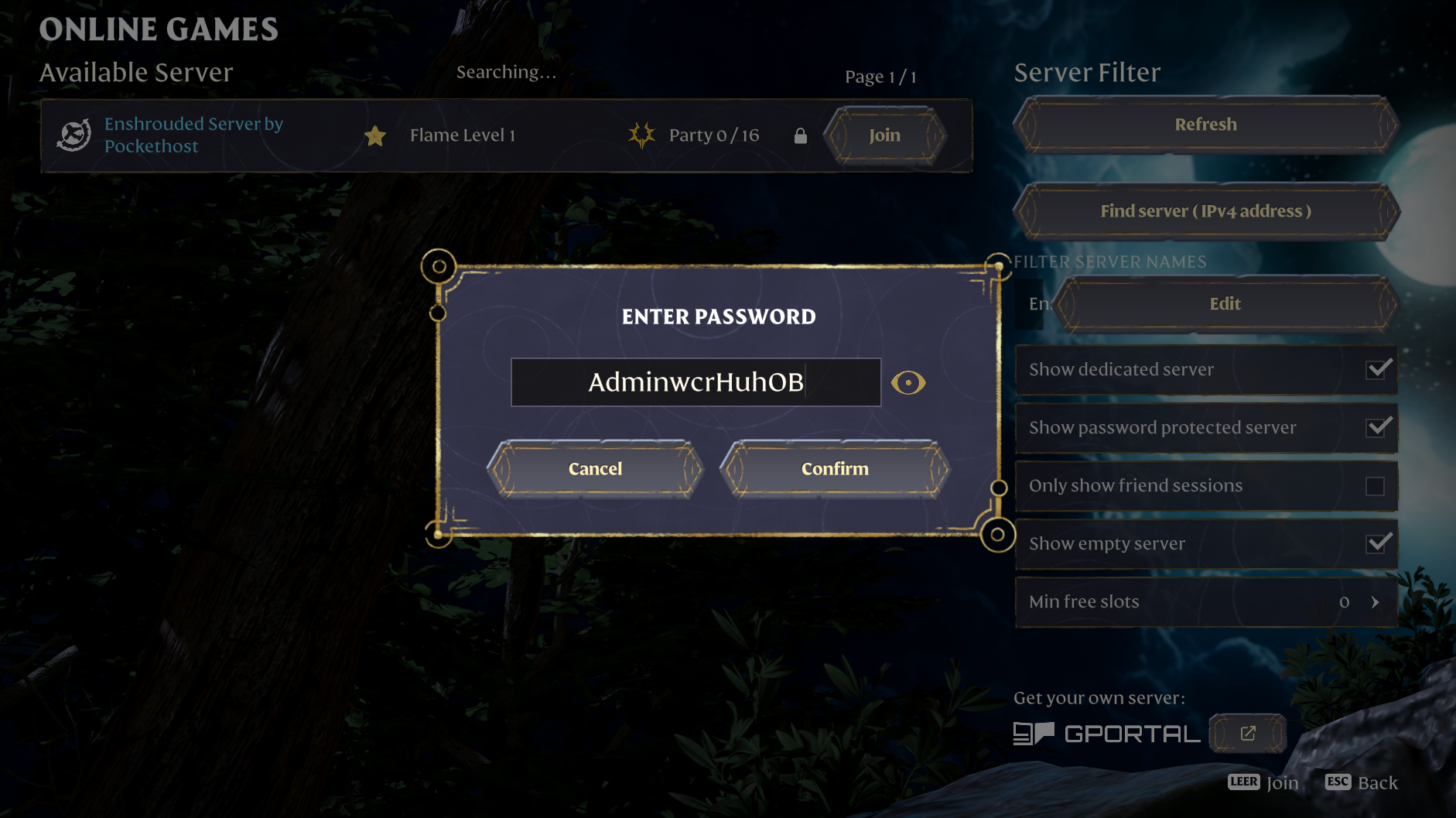
By default, your server will be password-protected.
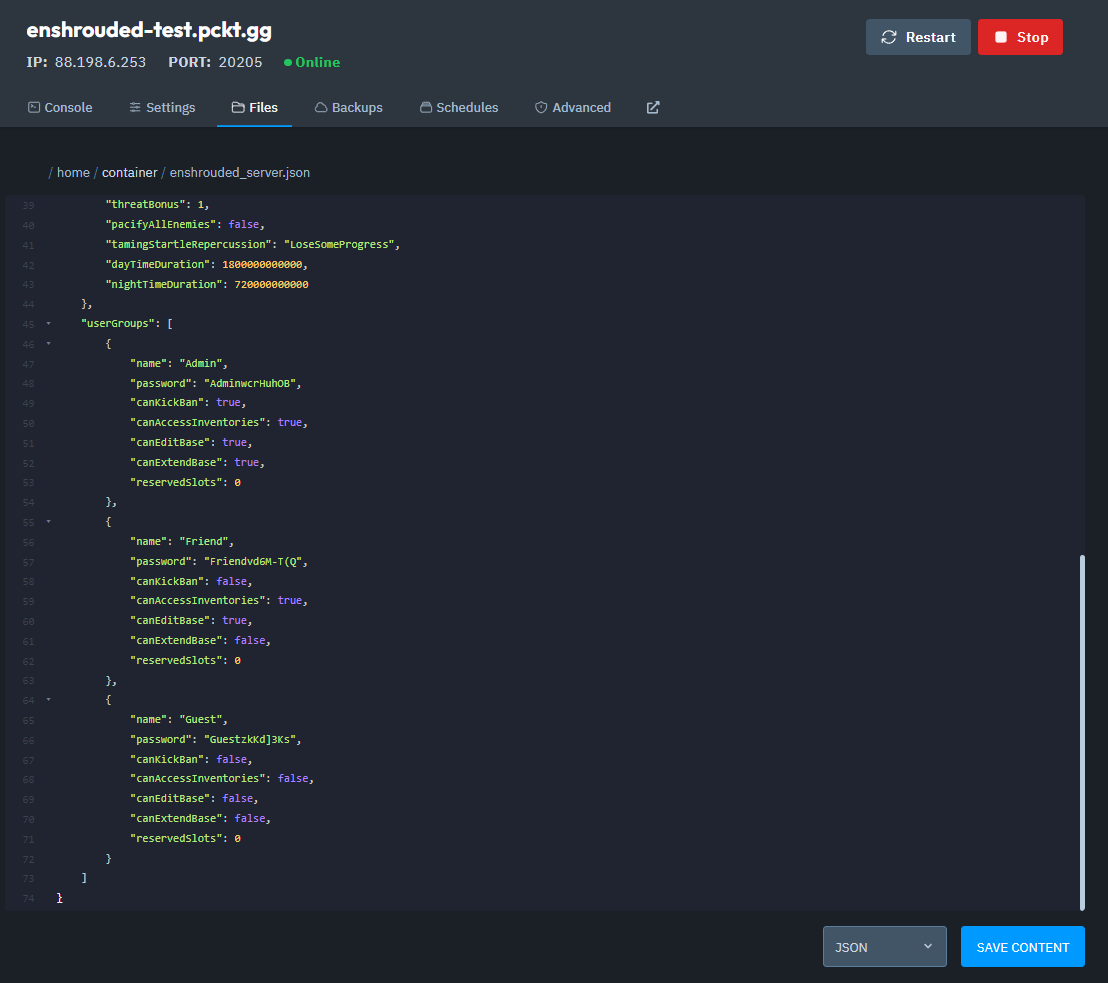
Depending on the permissions setup, players may need different passwords to connect.
To edit or remove the passwords, open the enshrouded_server.json file, which is located in your server's Files tab.
Make your changes in the enshrouded_server.json file.
Save the file.
Restart the server to apply the changes.
Use the password to connect to your server.
And that's how you connect to your Enshrouded server!