Find a Pak Mod that works with the current version of Palworld.
You can browse for mods on platforms like CurseForge.
Download the mod to your local machine.

Open your Server Dashboard.
Navigate to the Files tab.
Open the following directory:
/Pal/Content/PaksIn the Paks directory, create a new folder called:
~mods
Upload the mod file you downloaded in Step 1 into the newly created ~mods folder.
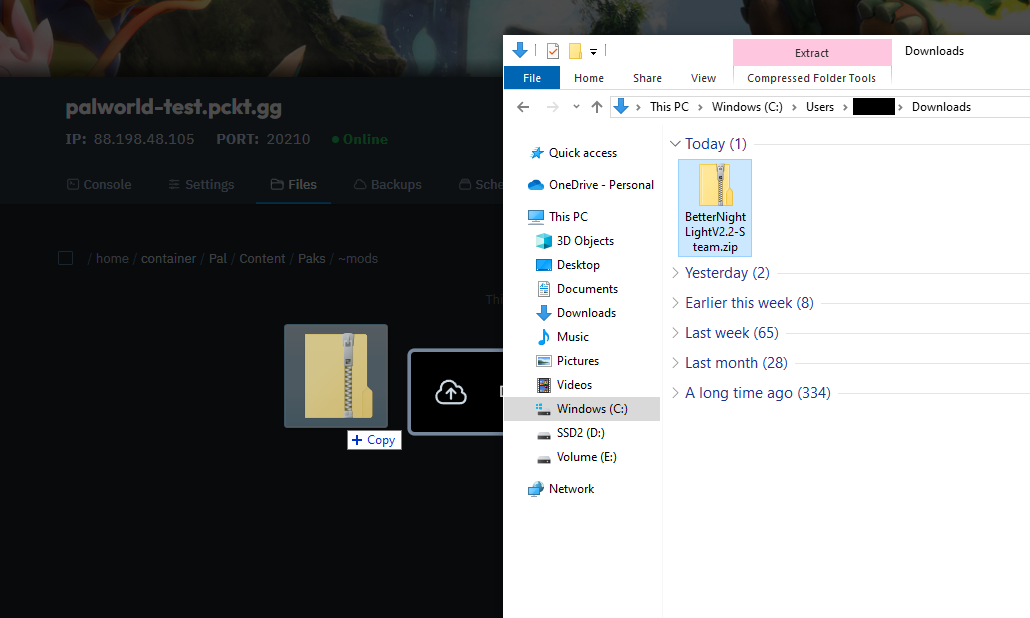
Once uploaded, unpack the mod if it's in a compressed format.
Ensure you have a .pak file inside the ~mods folder.

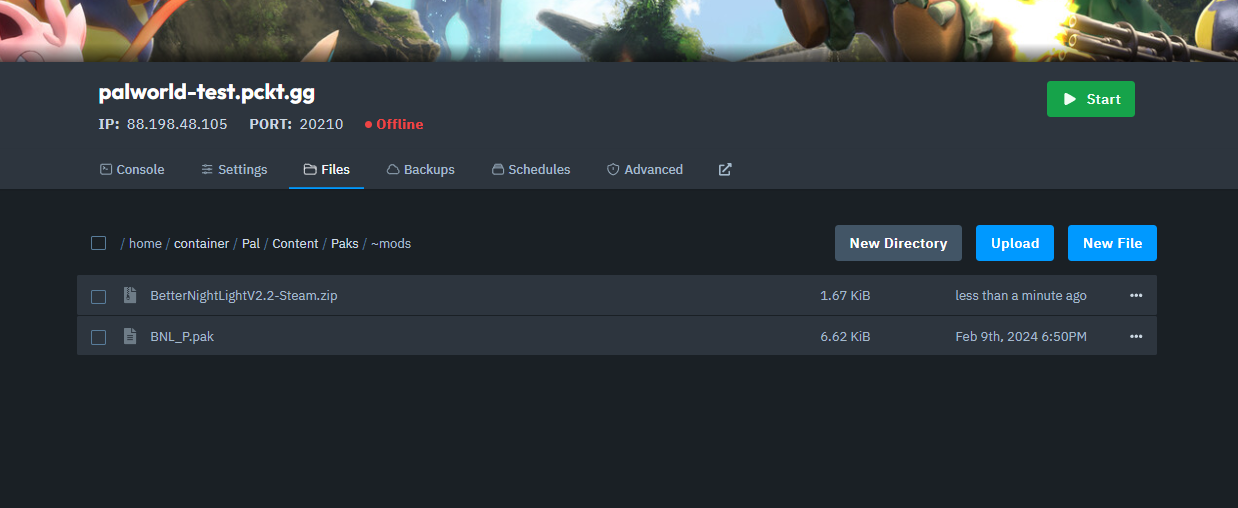
Go back to your Server Dashboard and start the server.
To play on a modded server, you must also install the same mods on your game client.
Open Steam.
Right-click on Palworld in your game library.
Select Manage > Browse Local Files.
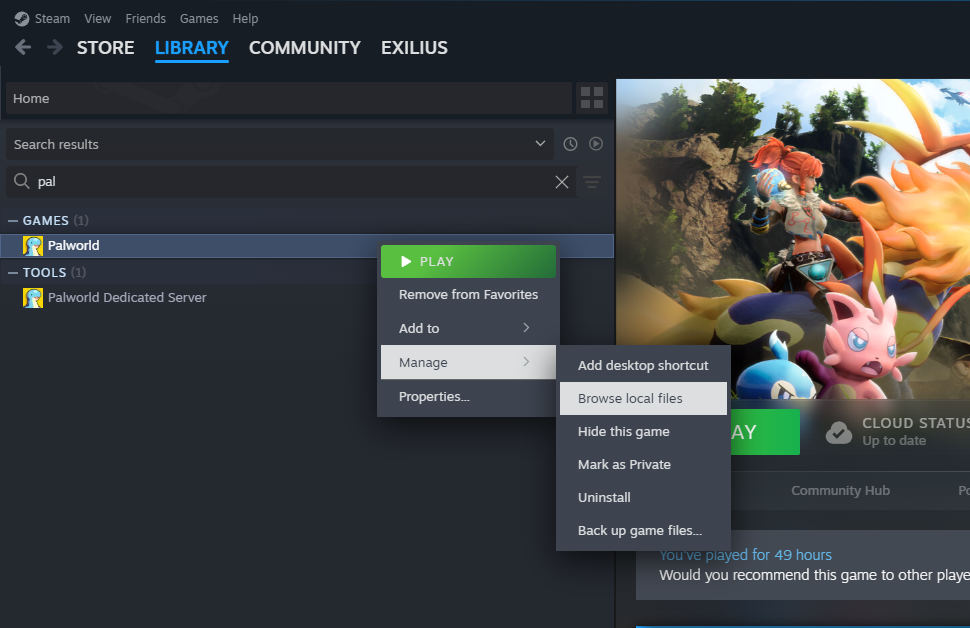
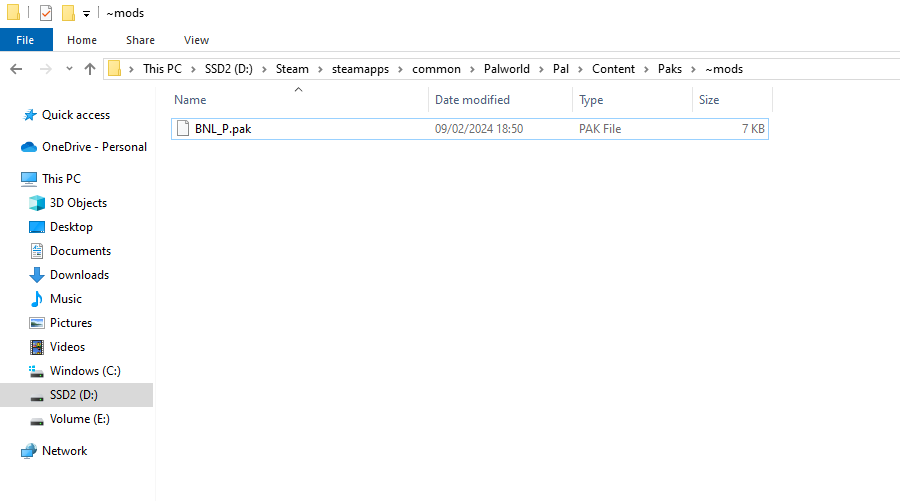
In the Palworld installation folder, open the following path:
\Palworld\Pal\Content\Paks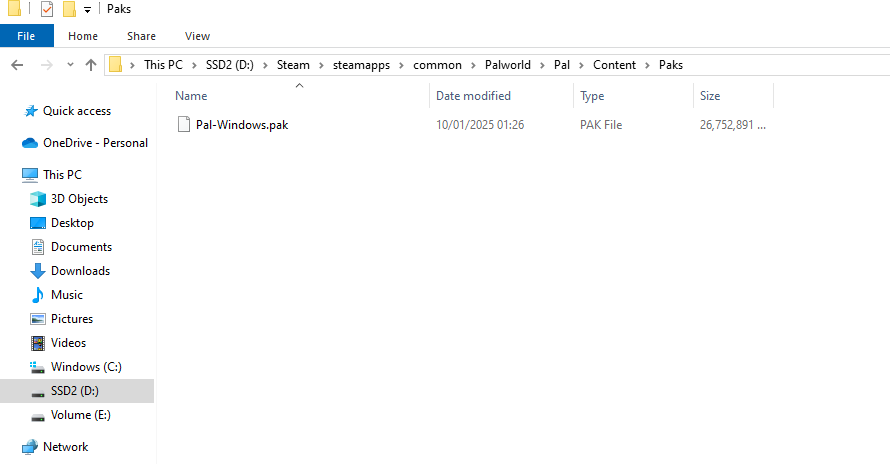
In the Paks directory, create a new folder called:
~mods
Move the downloaded mod file to the ~mods folder.
If the mod is compressed, unpack it first to ensure you have the .pak file in the folder.
Launch Palworld.
Connect to your server to verify that the mods are working correctly.

And that's how you install Pak Mods on both your server and client for Palworld!