Export Minecraft world → convert to ZIP
Start a new world with all resource/behaviour packs on the server
Minecraft → Worlds →  (Edit World) → "Export World" → File
 MeineWelt.mcworld.
Windows not showing file extensions?
Explorer → View → File name extensions enable it.
Rename file rename:
MeineWelt.mcworld → MeineWelt.zip → You’ll see a warning, just confirm it with "Yes".
Unzip ZIP file → you’ll see for example:
behavior_packs/
resource_packs/
world_behavior_packs.json   (maybe present)
world_resource_packs.json   (maybe present)
use programs like Filezilla or something similar for that.
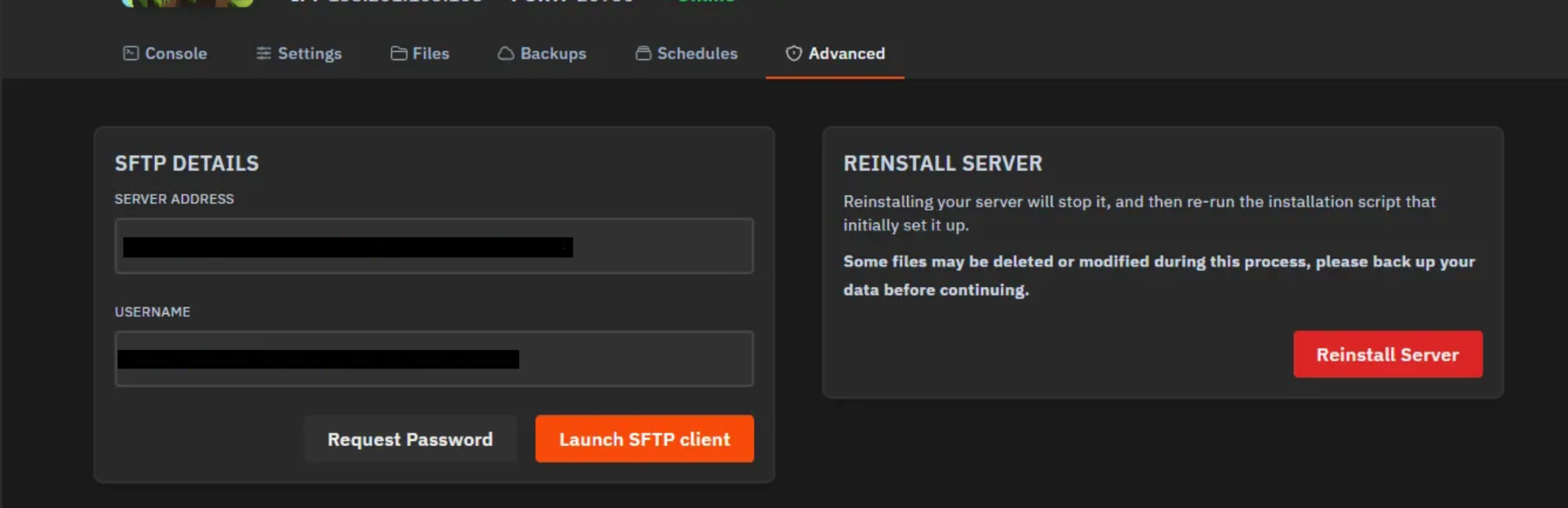
Local (from the export/addon)
Server target path
|
|
|
|
|
|
|
|
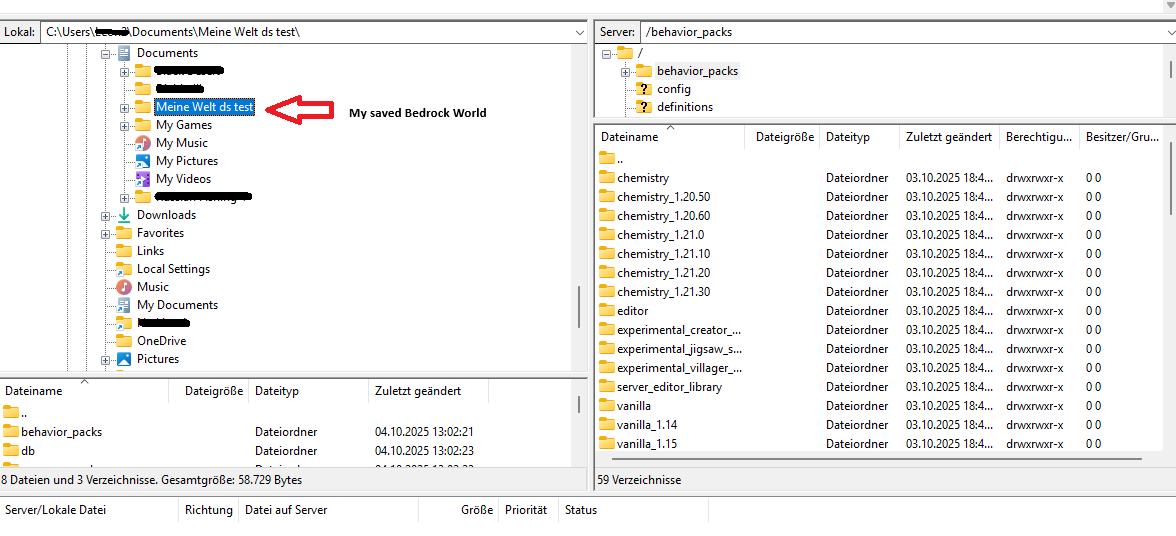


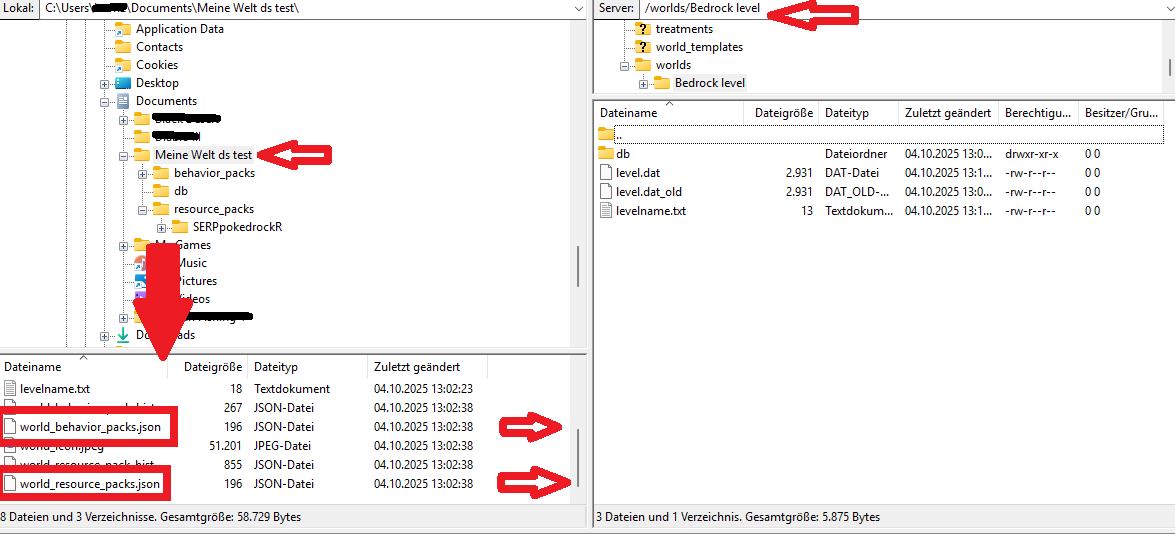
Note: Some addons come with both types (Behavior and Resource). In that case, upload both folders.
Open the file on the server or locally:
Behavior Pack: /behavior_packs/<Addon>/manifest.json
Resource Pack: /resource_packs/<Addon>/manifest.json
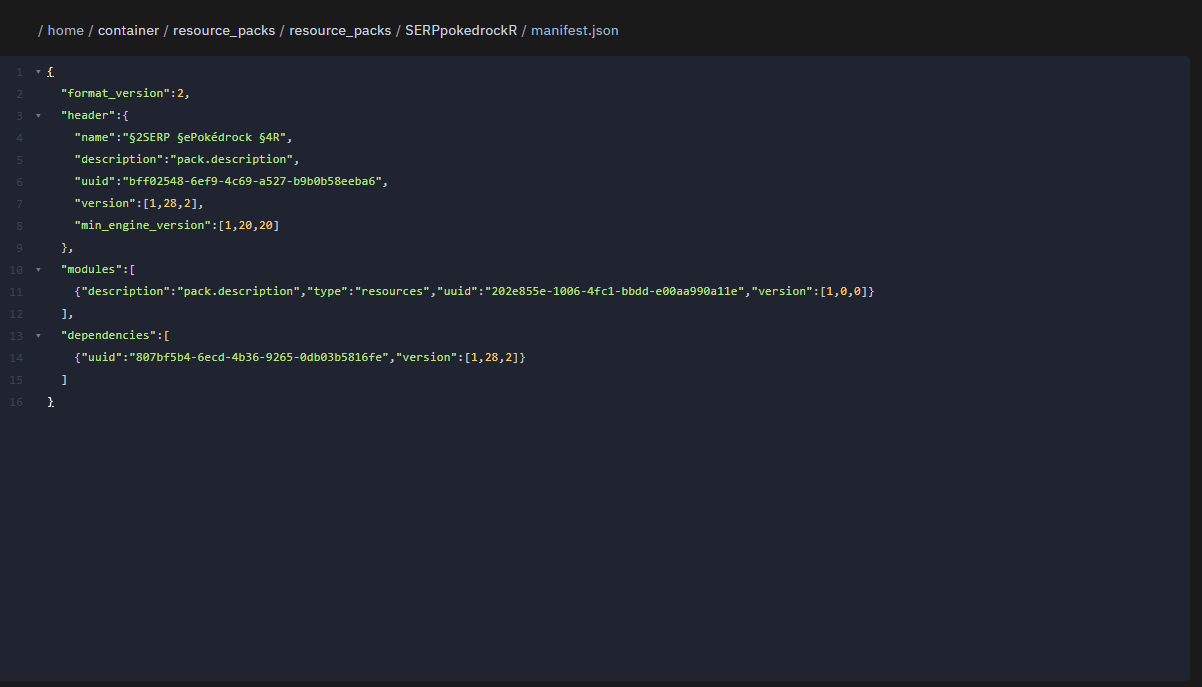
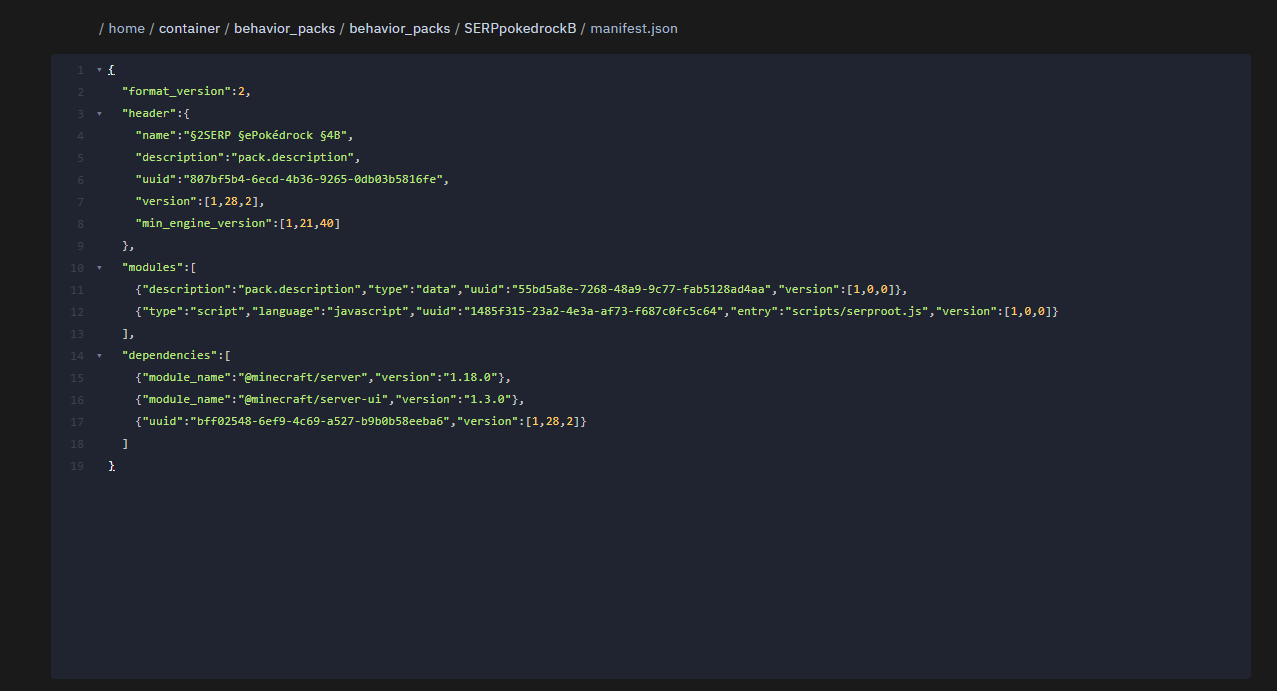
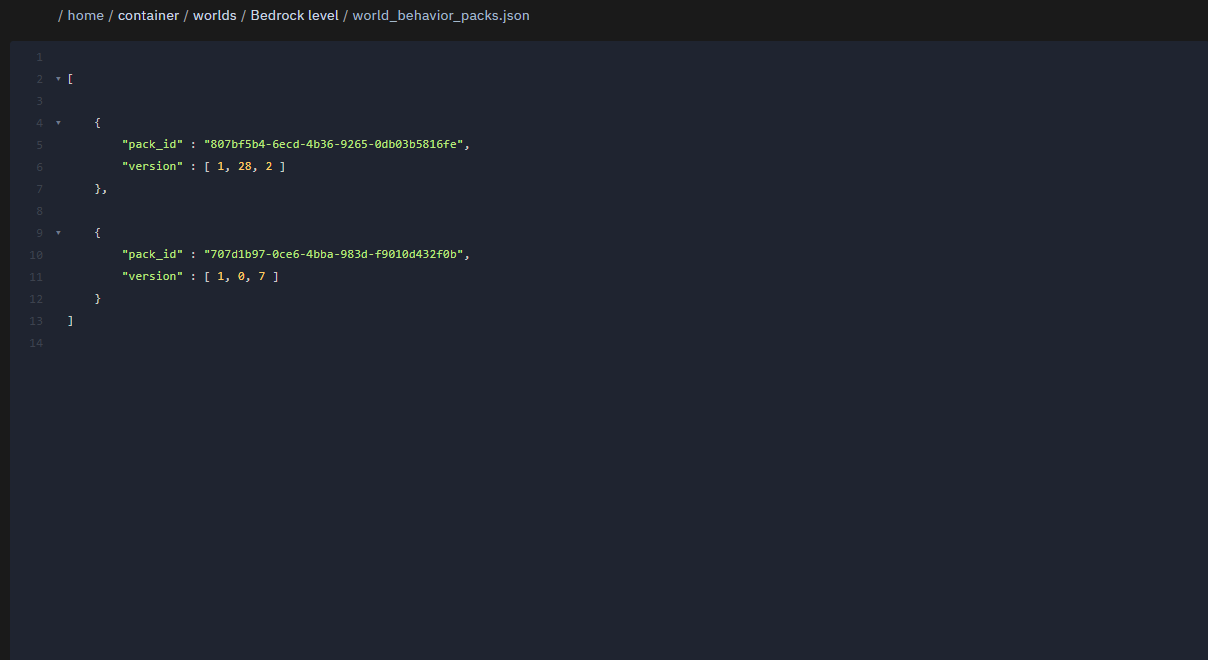
In /worlds/<Weltname>/ Copy the UUID and version from the behaviour/resource packs exactly (just like in the screenshot examples)
world_behavior_packs.json
world_resource_packs.json
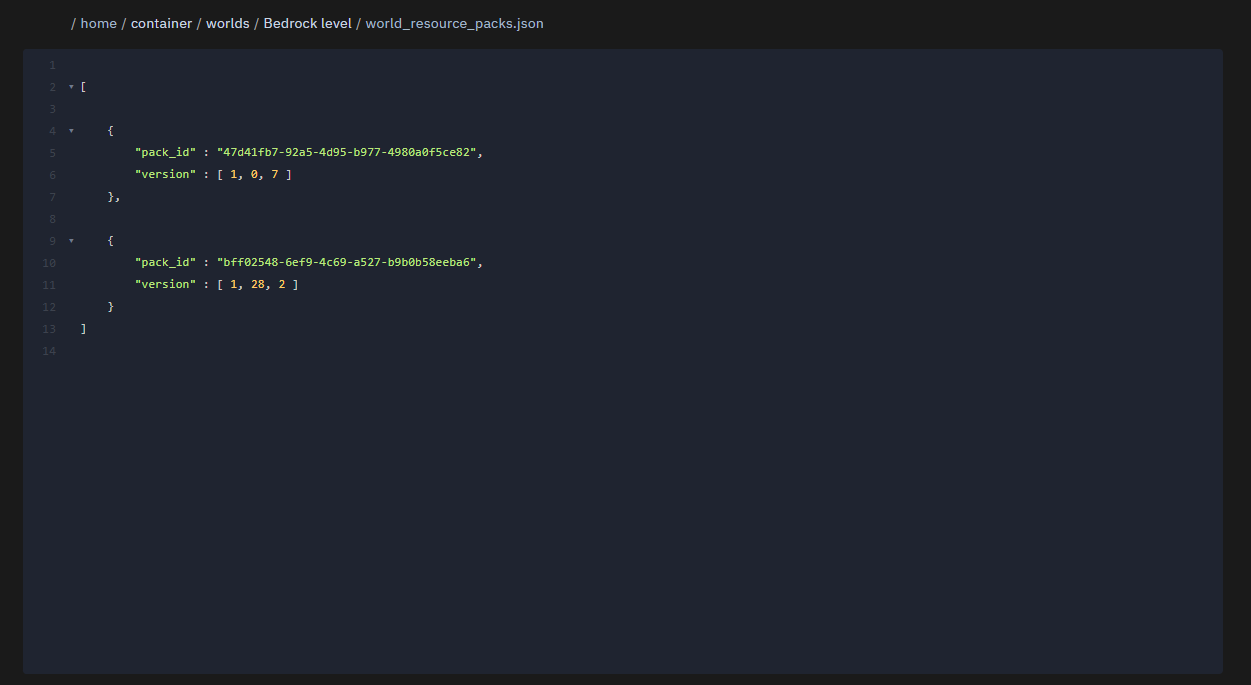
Multiple packs? Just add more objects to the array:
[
  { "pack_id": "UUID_PACK_1", "version": [1, 0, 0] },
  { "pack_id": "UUID_PACK_2", "version": [2, 3, 1] }
]
Watch out for: exact UUID + exact version (e.g. [1,0,0]).
use https://jsonlint.com/ to check that your json file has no errors.
In server.properties:
texturepack-required=true
content-log-file-enabled=true
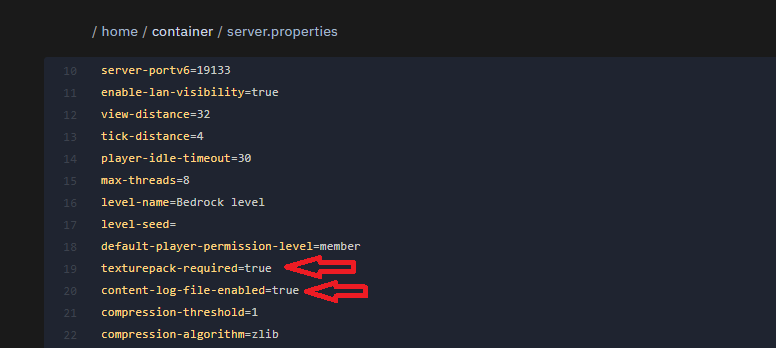
Clients have to load resources.
Errors are written to the log.
Full restart
Console/log should show:
Pack validated: <Name> (<UUID>) version X.Y.Z
On join: Confirm download prompt for resource packs.
Double-clicking .mcworld only starts the game
→ By Design. For the server rename to .zip and unzip (see step 1–2).
Can't rename .mcworld
→ Show file extensions or CMD:
ren "Datei.mcworld" "Datei.zip"
“Pack with id … not found” on startup
→ UUID/version wrong or folder missing.
→ Check manifest.json, folder must be exactly in /behavior_packs or /resource_packs.
No download prompt for resources
→ Set texturepack-required=true and world_resource_packs.json must be filled in correctly.
Incompatible after Bedrock update
→ Get the matching addon version; old versions might fail.
“Missing dependency” in log
→ manifest.json of the pack has dependencies. You need to also upload those and reference them in the world JSONs.
Game crashes on join
→ Undo last changes (is JSON valid?), maybe remove the addon for now, test a compatible version.
JSON syntax error
→ Check arrays/commas/quotation marks. If in doubt, check with a JSON linter.