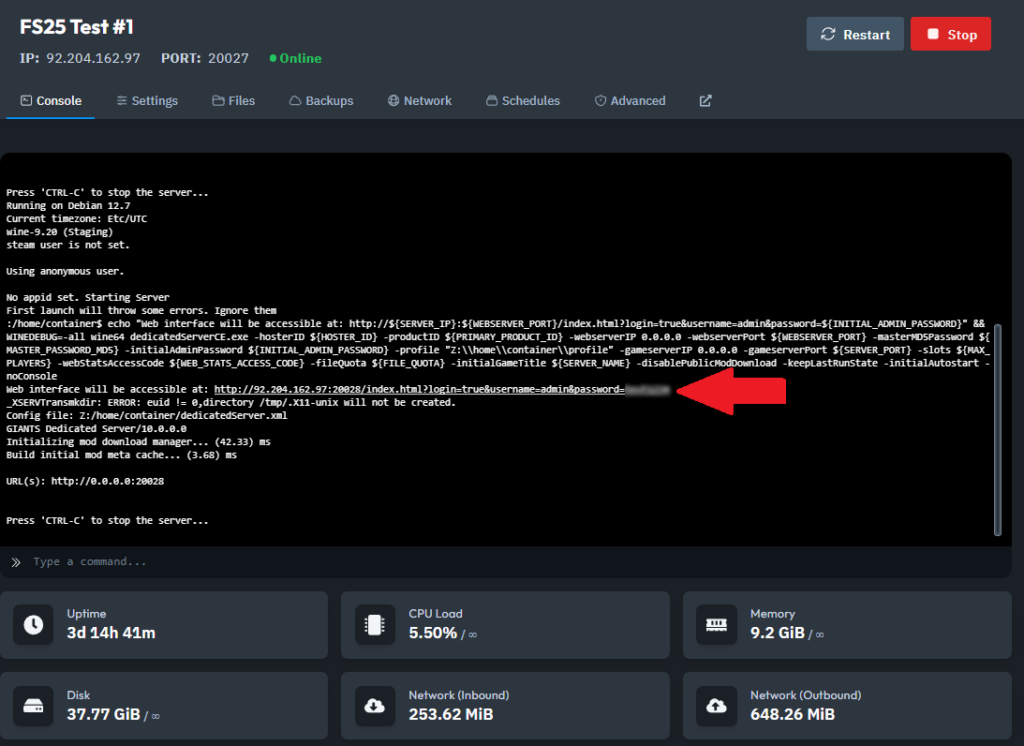
1. Access the Server Console: Open your Dashboard and locate the Server Console.
2. Open the Web Interface: Click the link that directs you to the Farming Simulator Web Interface or use the Go to Admin Panel button.
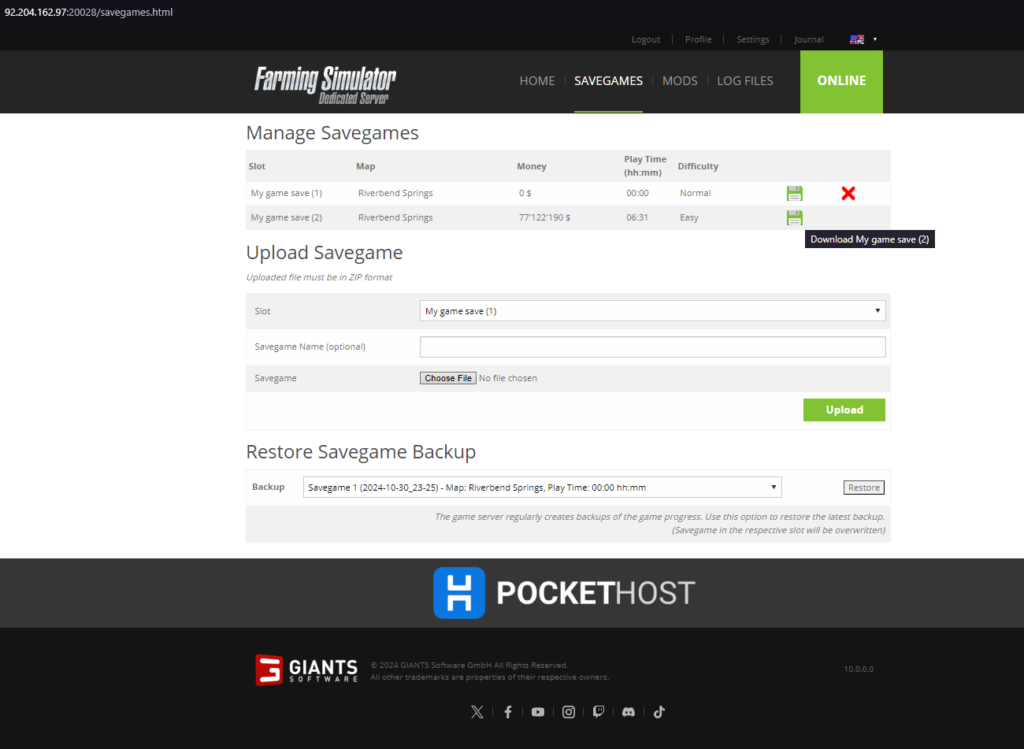
3. Navigate to Savegame Tab: In the Web Interface, go to the Savegame tab. Find the save file you wish to backup.
4. Download the Save File: Click the Floppy Disk Icon next to the desired save file to download it to your local device
With these steps, you can easily back up your Farming Simulator 25 game progress and keep your farm safe. Enjoy peace of mind knowing your saves are secure!